The support chat that opened by itself
Because you arrived rather than being contacted, every instinct about unsolicited approaches is disabled — and searching for a helpline is how most people get there.
 Scamiro
Short answer
A support chat that opens by itself is only as trustworthy as the page hosting it, and those pages are usually reached through a poisoned search result, a link in a message, or a pop-up. No legitimate support asks for your password, for a code sent to your phone, or to install a tool on your device. Leave the page and reach the company through their own app or a number from your card.
On this page
You searched for a company's helpline, or clicked a result, or opened a page you were already on — and a chat window slid up from the corner. An agent is already typing. They know the product, they are polite, and they are asking you to confirm a few details so they can look up your account.
A support chat is a live messaging window embedded in a web page, and one that opens by itself is not evidence of anything on its own. Legitimate sites use them constantly. The problem is that the same widget is trivially easy to place on a page that is not the company's, and the conversation that follows is the most effective form of impersonation available — because you believe you initiated it.
Why this works better than an email
A fraudulent support chat works for three reasons, and none of them is about the quality of the deception.
You arrived rather than being contacted. Every instinct people have about unsolicited approaches is disabled, because as far as you are concerned this was your idea. That single inversion does more work than any amount of convincing text.
It is a conversation. An agent answers your questions, adapts, and sounds reasonable. A phishing email is a fixed artefact you can examine; a chat responds to your doubts in real time and reassures you specifically.
Support is where people expect to give information. Confirming an account number to a support agent is normal behaviour. The request does not feel like a request.
The chat is not the trap. The route by which you reached the page is, and the chat exists to make the page feel like the company.
How you got there
Four routes lead to a fraudulent support chat, and the first two account for most cases.
- A search result. Paid placement above the real site, or a well-optimised page targeting "[company] support number". Searching for a helpline is one of the most reliably poisoned queries there is.
- A link from a message or email. The page it opens hosts the widget, and the widget is the point.
- A pop-up on an unrelated site. Frequently claiming a problem with your device, sometimes with an alarming sound. This is the crudest version and it still works.
- A search inside an app store or a marketplace. Fake support listings appear in places people assume are curated.
The first route is worth internalising because it is counter-intuitive: searching for support is how many people reach a fraudulent page. The company's real number is on the company's real site, reached by typing the address you already know or by opening the app you already have.
What the conversation will ask for
In a fraudulent support chat the requests escalate, and each one is a decision point.
| Request | Legitimate support | Fraudulent |
|---|---|---|
| Your name and order number | Common | Common |
| Account number or email | Sometimes | Always |
| Password | Never | Frequently |
| A code sent to your phone | Never | Always |
| Install a support tool | Rarely, from IT | Central to it |
| Payment to fix something | Occasionally, and stated openly | Urgent and immediate |
Two rows are conclusive. No legitimate support process asks for a password or for a code sent to your phone. Support staff at any real company can see what they need to see without either, and a request for a one-time code means someone is completing a login right now.
The remote access row is the most damaging. Being talked through installing a screen-sharing or "diagnostic" tool hands over the device, and from there a fraudulent agent can open your banking session while you watch and narrate something else entirely.
The tells inside the conversation
Four tells appear inside the support chat itself, and they are behavioural rather than textual.
Urgency without cause. A genuine support agent has no reason to hurry you. Pressure to act before you check something is the most reliable signal in the whole interaction.
Discouraging verification. "There's no need to call, I can sort it here." A real agent is entirely relaxed about you ringing the published number.
Moving the conversation. Onto WhatsApp, Telegram, or a phone number they supply. Legitimate support stays where it started.
Knowing less than they should, or more. An agent for a service you use who cannot see your account is a bad sign; so is one who recites details before you have identified yourself, since those details came from somewhere.
What real support actually looks like
Knowing the genuine shape makes the imitation obvious, and it is less varied than people assume.
It starts where your account is. In the app you already use, or after signing in on the site. A conversation that begins before any authentication has no way to know who you are, which is why it has to ask.
It already knows something. A real agent can see your orders, your plan, your recent activity. They confirm rather than collect — being asked to supply everything from scratch is the difference.
It is unhurried and happy to be verified. "Call us back on the number on your statement if you prefer" is a normal sentence from real support and an impossible one from a fraudulent agent.
It does not need anything installed. Where genuine remote assistance exists it comes from an employer's IT department onto a managed device, not from a consumer support conversation.
There is a fifth, subtler property: real support has a record. The conversation appears in your account, a ticket number arrives by email to an address you already gave them, and you can return to it tomorrow. A chat that exists only in the window in front of you, with no trace anywhere you control, is not a support system — it is a page.
That test is worth remembering because it works after the fact too. If you are unsure about a conversation you already had, look for it in the account. If it is not there, it never happened as far as the company is concerned, and you now know what you are dealing with.
What to do instead, every time
The habit that removes this entire category takes ten seconds.
- Leave the page. Whatever it says.
- Reach the company by a route you already had. Their app, a bookmark, the number on your card or on a statement, the address typed by hand.
- Start the conversation from there. If the problem is real, it exists in your account and their real support can see it.
- Never use a number, link or download offered in a chat, even one you believe is genuine.
That is the whole defence, and it works regardless of how convincing the page is, because it does not require you to evaluate the page at all.
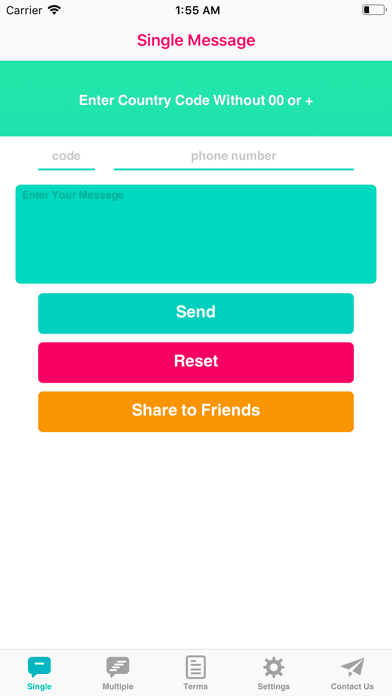
For contacting a company back on a number you copied from a statement rather than saved, a tool like Espresso: Quick Message opens a conversation from a pasted number without adding it to your contacts — with the same condition that applies throughout: the number must come from the company's own published material, never from the chat.
If you already gave something
Order matters, and it depends on what was given.
- If you installed anything, disconnect from the internet first, then remove it — a remote session is live while you are still connected.
- If you gave a password, change it from a different device, then sign out all sessions.
- If you read out a code, treat the account as compromised now rather than possibly, and check whether the recovery email or phone was changed.
- If you paid, contact your bank immediately; a card payment may be reversible and a transfer is harder.
- Check the accounts you did not discuss, because credentials are tried elsewhere.
- Expect a follow-up. A second contact offering to recover your money is the same operation, and it is more convincing because it references a real loss.
More on impersonation in impersonation, the link side in suspicious links, and account protection in digital safety. The NCSC's guidance on phishing covers the reporting routes.
The short version
A support chat that opens by itself is only as trustworthy as the page hosting it, and the page is usually reached through a search result, a link, or a pop-up. Because you arrived rather than being contacted, the instincts that protect you elsewhere do not fire.
No real support asks for your password or a code sent to your phone, and none needs to install anything on your device. Leave the page, reach the company through their own app or a number from your card, and start again — that habit costs ten seconds and does not require you to judge whether the chat was real.
Frequently asked questions
- Why is a fake support chat more effective than a phishing email?
- Because you arrived at it rather than being contacted, which disables every instinct people have about unsolicited approaches. It is also a live conversation that can answer your doubts, unlike a fixed email you can examine.
- How do people end up on these pages?
- Most often by searching for a company's support number — that query is reliably targeted with paid placement and optimised pages. Links in messages and pop-ups on unrelated sites account for most of the rest.
- What requests are conclusive?
- A password, a code sent to your phone, or installing a remote access tool. No real support process needs any of them, and a request for a one-time code means someone is completing a login at that moment.
- What should I do first if I installed something they asked for?
- Disconnect from the internet before anything else, because a remote session is live while you remain connected. Then remove the software, and change passwords from a different device.
Sources
- Phishing attacks: defending your organisation — UK National Cyber Security Centre
- Tech support scams — US Federal Trade Commission
- Espresso: Quick Message on the App Store — Tecno Blocks
Scamiro
Practical online safety guides covering scams, phishing, suspicious links, fraudulent websites, impersonation, social media scams, and digital fraud.
About the publication