SIM swap: how a phone number stops being yours
Nothing is hacked. The number is moved by the company that owns it, on a request that looked legitimate — and your phone losing signal is the only warning you get.
 Scamiro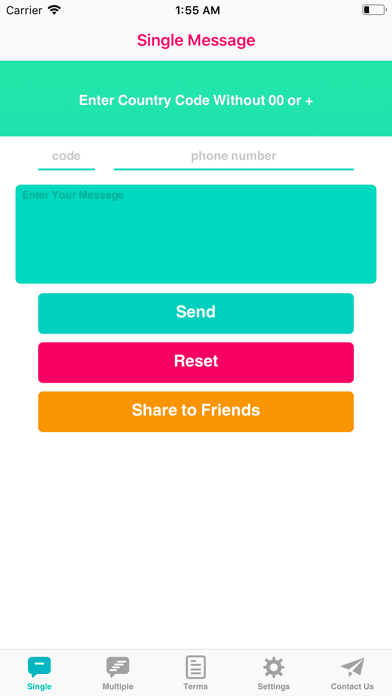
Short answer
A SIM swap is the transfer of your mobile number onto a SIM card someone else controls, approved by your operator on the strength of identifying details the attacker collected. It defeats SMS codes because the codes arrive on their device. Set a port-out PIN with your operator and move email recovery off SMS entirely.
On this page
Your phone loses signal. Not "no bars in this room" — it says No SIM, or it searches for a network and never finds one. You assume a fault. Twenty minutes later the email address attached to your bank has been changed, and the code that authorised it was sent to a number that is no longer yours.
A SIM swap is the transfer of your mobile number onto a SIM card someone else controls, done through your operator rather than through your phone. Nothing is hacked in the technical sense. The number is moved by the company that owns it, on the strength of a request that appeared legitimate.
How the number is moved
Mobile numbers are portable by design, because people change handsets, lose phones and switch operators. That machinery is the attack surface.
The request is made to your operator — in a shop, on the phone, or through an online account — as a replacement SIM or a port to a different network. To approve it, the operator asks for identifying details: date of birth, address, the last few digits of a payment card, recent numbers called, sometimes an account PIN.
Every one of those is obtainable. Addresses and dates of birth sit in breach data. Recent call history leaks through other channels. An account PIN is often set to something the account holder chose years ago and reused. The attacker is not guessing; they are reciting, and the person on the other end is following a script that says a caller who knows these things is the customer.
A SIM swap does not defeat your password. It defeats the thing you added because passwords were not enough.
Once the swap completes, your handset drops off the network — which is the only signal you get, and it is silent. Their device receives your calls and texts, and every service that treats a phone number as proof of identity now treats them as you.
Why the phone number is the weak link
SMS became the default second factor because it needed no setup and everyone had a phone. Three properties make it a poor one.
- The number is controlled by a third party. Your operator can reassign it, and their process — not yours — decides who qualifies. No password you choose affects that decision.
- The messages are not end-to-end encrypted. SMS is delivered through infrastructure with known interception weaknesses, independent of any SIM swap.
- It doubles as account recovery. This is the compounding problem. A number used both to log in and to reset the password means capturing it grants entry twice over, and the reset path usually outranks the login path.
The third property is what turns a SIM swap from an inconvenience into a total account loss. Even if you protect an account with an authenticator app, a "lost access" flow that falls back to SMS puts the account right back on the number.
| Second factor | Survives a SIM swap? |
|---|---|
| SMS code | No |
| Voice call code | No |
| Authenticator app (TOTP) | Yes |
| Push approval in an app | Usually |
| Hardware security key | Yes |
| Passkey on your device | Yes |
What to protect first
Not everything needs the same treatment. Work outward from the accounts that can reset the others.
- Email. Whoever holds the mailbox holds every account that mails a reset link to it. Move it off SMS first, and remove the phone number as a recovery method rather than merely adding another factor.
- The mobile account itself. Set a port-out PIN or a transfer lock with your operator. This is the specific control that blocks a SIM swap, and most people have never been told it exists.
- Banking and payments. Ask what happens if the phone number changes. Some banks treat a new SIM as a trigger for extra verification; others do not.
- Anything holding money or assets. Exchange accounts are targeted in these attacks specifically because a transfer, once made, does not reverse.
- The password manager, if it has SMS recovery — that single setting can undo everything else you have done.
Step two is the highest-value action in the list and takes one phone call. A transfer lock means a port or replacement SIM requires more than the details an attacker can recite.
What it looks like while it is happening
The window between the swap and the damage is short — often under an hour — but it is not zero, and the signs are recognisable.
Sudden, complete loss of service on a phone that was working, in a place with normal coverage. Not slow data. No network at all.
Your device shows No SIM or Invalid SIM. A network fault does not usually produce this.
Password reset emails you did not request, arriving before service drops or on another device.
Messages from contacts about texts you did not send, since a captured number is also used to reach the people who trust it.
If you see the first two together, do not wait to see whether service returns. Call your operator from another phone immediately and say you suspect an unauthorised SIM change. If you need to message someone from a different handset without saving their number to it, a tool like Espresso: Quick Message opens the conversation from a pasted number — useful precisely when you are working from a borrowed device.
If it has already happened
Order matters here more than in most incidents, because you are racing a person who is working through your accounts.
- Call the operator and have the number restored, from any other phone. Until the number is back, every SMS-based recovery works for them and not for you.
- Change the email password and sign out all sessions. Do this from a device that is not your phone if the phone is compromised in any way.
- Check email filters and forwarding rules. A rule that silently forwards or deletes messages from your bank is a standard step, and it survives a password change.
- Contact the bank and flag the account. Speed matters more than completeness in this call.
- Replace SMS with an authenticator app on every account as you recover it, rather than restoring the previous setup.
- Report it — to the police fraud line and to your operator in writing, since a written record matters for any dispute over losses.
Step three is skipped almost universally and is the one that lets an attacker retain access after you think you have removed them.
What to do this week
Two changes, neither of which takes long.
Call your operator and add a port-out PIN or transfer lock. Ten minutes, and it is the control designed for this exact attack.
Move your email off SMS, and delete the phone number from its recovery settings rather than just adding an authenticator alongside it. Leaving the number in place leaves the door you just locked propped open.
More on account takeover patterns in digital safety, impersonation of your operator in impersonation, and the phishing that usually gathers the details first in phishing. The NCSC guidance on two-factor authentication sets out which factors hold up.
The short version
A SIM swap moves your number to someone else's SIM through your operator, using details they collected rather than a password they cracked. Your phone losing all service is the only warning, and it arrives silently.
Set a transfer lock with your operator, take your email off SMS entirely, and use an authenticator app or a passkey wherever a code is required — because the point of the attack is that it never has to touch your password at all.
Frequently asked questions
- What is the first sign of a SIM swap?
- Sudden and complete loss of mobile service where coverage is normally fine, often with a No SIM or Invalid SIM message. Slow data is a network problem; no network at all on a working phone is not.
- Does an authenticator app protect me?
- Yes for the login itself, since the codes are generated on your device rather than sent to your number. But it is undone if the account still offers SMS as a recovery method, so remove the number rather than only adding the app.
- What actually stops the swap from happening?
- A port-out PIN or transfer lock on your mobile account. It is the control built for this attack, takes one phone call to set, and most people have never been told about it.
- What do I do first if it has already happened?
- Call the operator from another phone and have the number restored, then change your email password and sign out all sessions — and check for mail forwarding rules, which survive a password change and are routinely left behind.
Sources
- Setting up two-factor authentication — UK National Cyber Security Centre
- SIM swap fraud guidance — Action Fraud
- Espresso: Quick Message on the App Store — Tecno Blocks
Scamiro
Practical online safety guides covering scams, phishing, suspicious links, fraudulent websites, impersonation, social media scams, and digital fraud.
About the publication